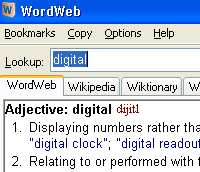
 We rather liked the nifty WordWeb 4 Pro dictionary and thesaurus when we looked at it in September last year and it’s remained a firm favourite in the office ever since.
A fast and smart English-language thesaurus and dictionary for Windows, WordWeb can be used to look up words from almost any program, dishing up definitions, synonyms and related words like a resident egghead lurking in your system tray.
With an upgrade to version 5 announced last week, we thought we’d take a shufti to see how it shaped up.
What’s new?
After downloading the free 7.5meg version of WordWeb 5, the first thing we noticed was that the Ye Olde Windows 95-style system tray icon had been replaced by a natty new icon which looks a lot smarter.
 Full Windows Vista support has been bolted on, with the authors claiming that the program now comes with “many thousands of new senses, synonyms and clarifications.”
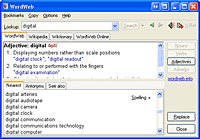
What we immediately noticed – and liked – was the improvement in usability; now you just have to hold down your keyboard’s control key and right-click over a word to bring up a definition in WordWeb. There’s no need to even select the word first, making it very fast and very neat.
A large choice of synonyms and antonyms are offered for selected words, and you can easily replace a selected word with a synonym by hitting the ‘replace’ button.
Note that this features works in most word processing applications, web browsers and email clients, otherwise you’ll have to hit ‘copy’ and paste the word in yourself.
Online definitions
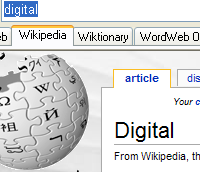
The main WordWeb database sits on your hard drive (so you don’t have to go online to look up words) but a new feature lets you speedily check web references on the Wikipedia, Wiktionary and WordWeb Online websites in the same program window.
There’s also a new Bookmark menu for bookmarking words (if that’s your thing), and a ‘Basic English’ option simplifies the results screen by presenting the most common definitions in bold.
Hyper-bowls are us
If you’re unsure how to pronounce a displayed word, clicking on the loudspeaker icon will play back an audio pronunciation guide.
Although it can sound a bit ‘Sparky the Magic Piano’ (it uses Windows’ less than stellar Speech Engine) it should be enough to avoid committing a crushing social faux like pronouncing ‘hyperbole’ as ‘hyper-bowl’ at a posh dinner party.
Like we did once. And it still smarts.
Conclusion
If you’re looking for a free, fully featured thesaurus and dictionary, you’ll be unlikely to find anything better than WordWeb 5 – it certainly knocks spots off what’s built into Word, for example.
The ability to instantly call up a definition by right clicking on any word onscreen considerably improves usability, and the new web tools are a nice touch.
We should point out that there is also an enhanced commercial version available, offering custom web references, 6,000 more definitions, custom glossaries, wildcard word search and other features, but can’t say much about it because the author steadfastly refused to send us a copy, despite several requests.
We can, however, tell you that it costs £14 and is quite probably excellent value.
WordWeb 5 Free
Score on the doors
Features: 85%
Interface: 80%
Ease of use: 86%
Overall: 91%
 In the wake of US newspaper
  The recently relaunched
  The Palm platform has traditionally enjoyed a lot of support from Mac users who can perhaps relate to the platform’s status as a great working product that isn’t as well known as it should be (or maybe it’s because it’s simply not Windows?!).
 All the messages are searchable and the program offers international language support.
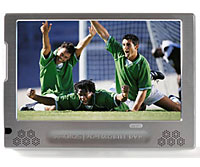 Keen to maintain its position as the Dark Master Of All Things PMP, Archos have announced the latest addition to its Personal Media Player, the 704 Wi-Fi.
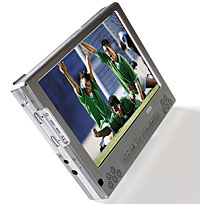 As befits its media player billing, this puppy can play a ton of video formats including MPEG-4, AVI, Divx and WMV video files, and MP3 and WMA audio files (with optional plug-ins for h.264, MPEG-2 MP@ML, and AAC support). There’s also support for PlaysForSure.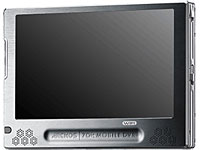
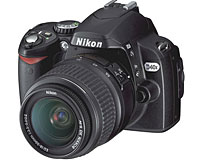 Nikon claim that the battery life has been extended to allow up to 520 images per charge (better than the 470 images for the D40) and can rattle off more photos in continuous shooting mode (3 frames per second compared to 2.5 fps for the D40).
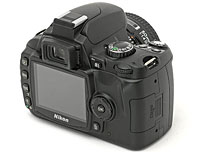 In-camera editing tools let snappers adjust compensation, correct red-eye or use monochrome effects to get that Ye Olde Black-and-white or Sepia tone effect.
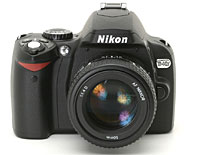 Specifications:
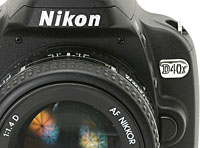 Focus area One of three areas can be selected
 Mobile games are starting to rake in big revenues in the States as perambulating punters warm to the idea of downloading games for their phones.
 Although you might imagine that mobile gaming would be the near-exclusive preserve of socially challenged males aged 25 to 36, Telephia says that it’s the ladies who are the hottest to trot, with 65 percent of U.S. mobile game buyers being of the female persuasion.
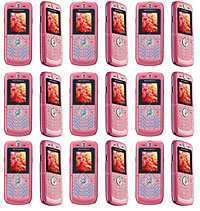 The market seems to be consolidating around the big name manufacturers, with other vendors now only accounting for 14% of worldwide mobile phone sales in 2006 – down 5% from 2005.
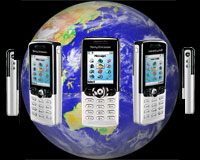 Motorola’s total sales for 2006 hit 209 million units, which translates into a 21.1 percent market share.
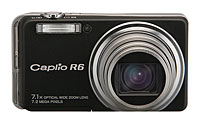 As ever, the camera sports a beast of a 7.1x optical wide zoom lens (28–200 mm in 35 mm camera format) in a slim body measuring a pocketable 20.6 mm at its thinnest point.
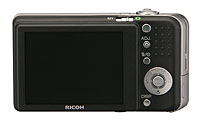 The camera comes with high-resolution, high viewing angle 2.7-inch LCD (up slightly on the R5 LCD), with Ricoh claiming a long 330 shot battery life.
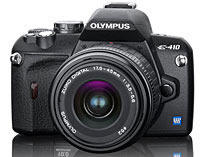 Olympus has announced details of two additions to their dSLR range in the run up to the Photo Marketing Association (PMA) trade show in Las Vegas which starts on the 7th March.
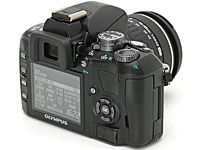 Olympus have also increased the camera’s high sensitivity performance thaks to a new TruePic III processor, backed by improved buffering of continuous frames offering shooting at 3fps with up to seven images in RAW buffer
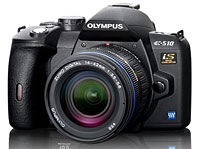 Olympus E-510
 Although not quite as small as it’s younger brother, the camera still measures up at a pleasingly bijou 5.4″ x 3.6″ x 2.7″, making it a great choice for travellers.
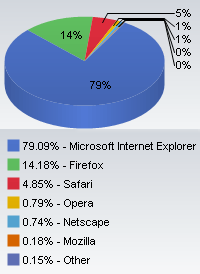 Like hungry puppies with sharp teeth, Mozilla’s Firefox and Apple’s Safari Web browsers continue to chew and gnaw away at the juicy legs of Microsoft’s Internet Explorer (IE).
 “After a minor hiccup in January, Firefox seems to be back on the offensive in February,” said the fabulously named Vincent Vizzaccaro, Net Applications’ executive vice president of marketing and strategic relationships.